Getting your personal training business to rank on Google’s first page starts with setting up and optimizing your Google Business Profile properly.
This free tool puts you directly in front of potential clients searching for trainers in your area, appearing on Google Maps, in local search results, and in the local 3-pack.
Most personal trainers skip critical setup steps or choose the wrong business category, which tanks their visibility before they even start.
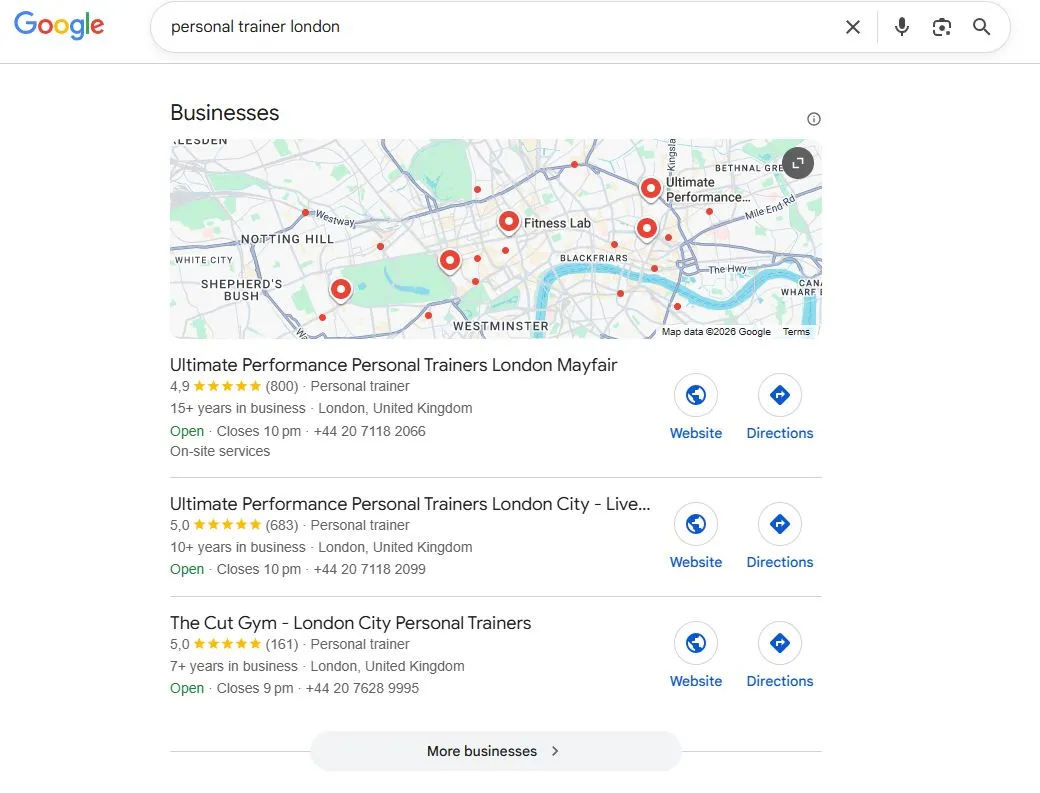
When someone searches “personal trainer near me” on their phone, Google doesn’t show your website first. It shows Google Business Profiles in the local 3-pack: the three businesses at the top of search results with maps, photos, and reviews.
Your Google Business Profile is your most powerful local SEO tool.
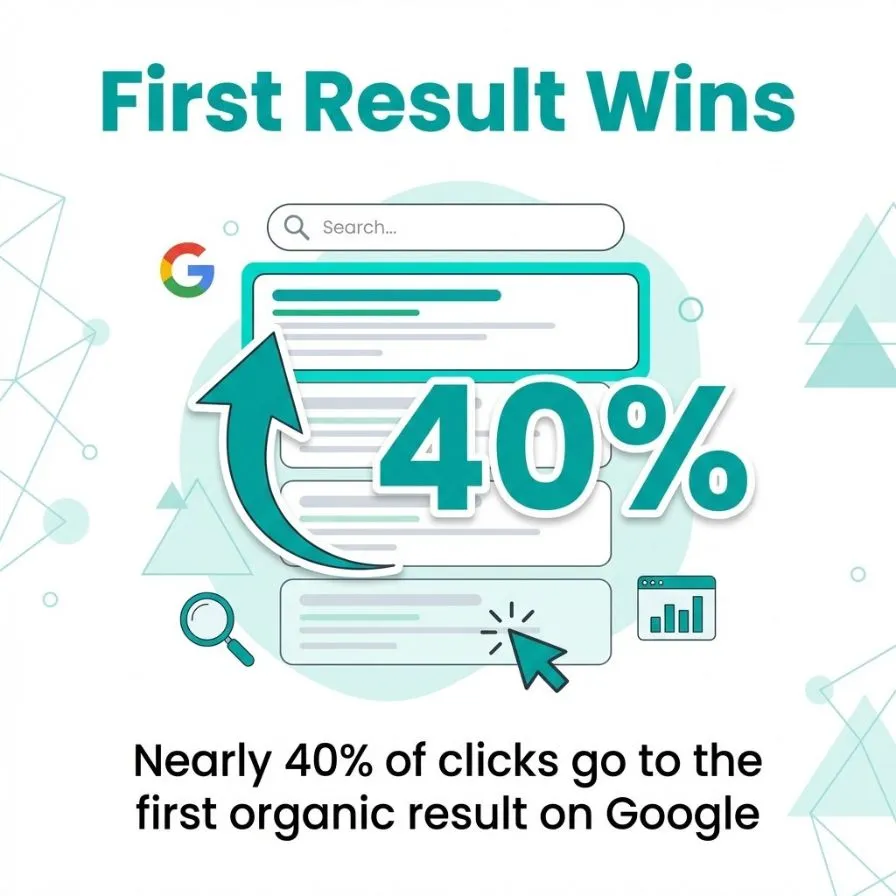
The difference between ranking on page one and page two is massive. 40% of clicks go to the top result, while page two gets almost nothing.
For personal trainers, that gap is the difference between a full client schedule and struggling to book sessions.
This guide walks you through every step to set up, verify, and optimize your Google Business Profile for maximum visibility.
You’ll learn how to choose between service area and fixed location settings, which verification method works fastest, and how to optimize every profile element to attract potential clients.
Google Business Profile is your free business listing on Google. It controls how your personal training business appears across Google Search, Google Maps, and the local 3-pack.
When potential clients search for fitness services in your area, your profile displays your business name, location, hours, photos, reviews, and contact information. It’s the first impression most people get of your business.
The profile serves three main functions: it establishes your business presence in local search results, provides the essential information clients need to contact you, and builds credibility through reviews and photos.
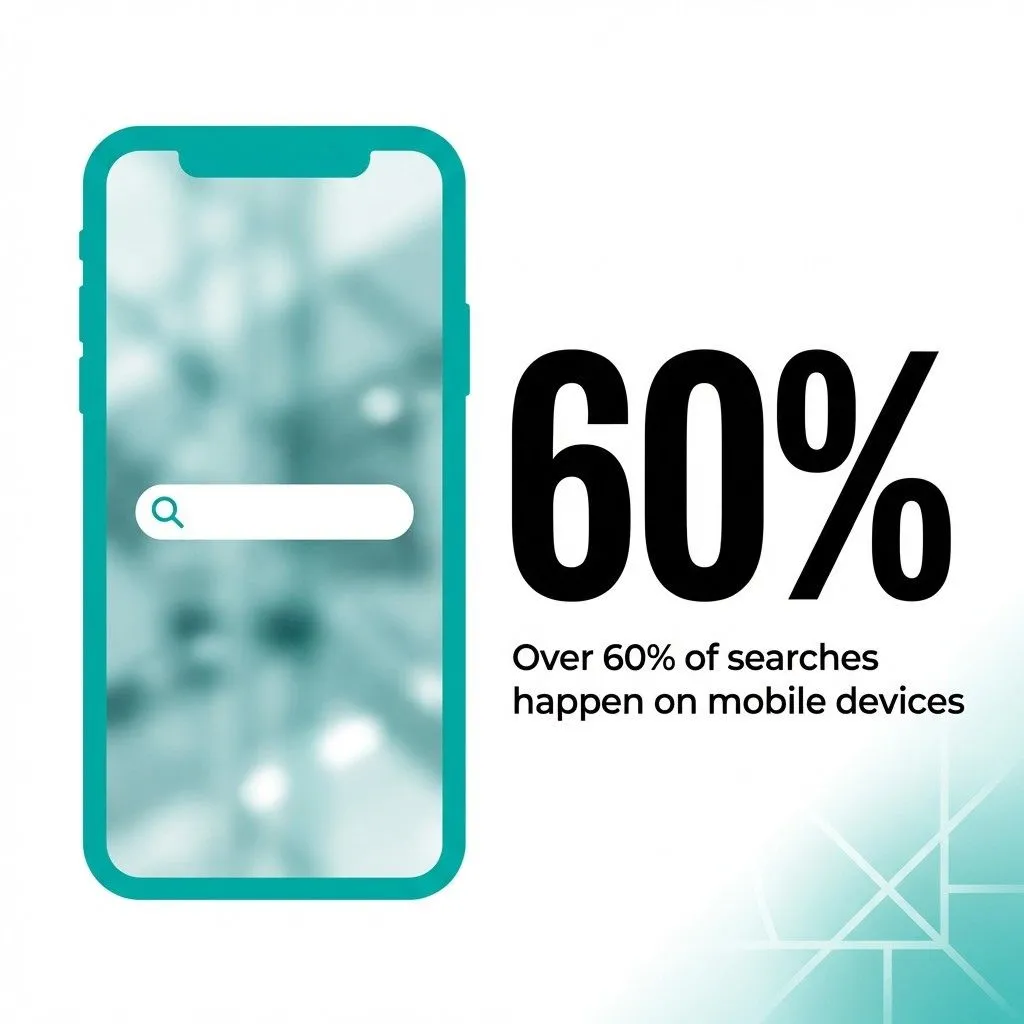
For personal trainers, this matters more than most industries. Over 60% of searches happen on mobile devices, and those users want immediate answers.
They’re searching while at the gym, during lunch breaks, or after deciding they need a trainer. Your profile appears in Google Maps, local search results, and the local 3-pack, all without any advertising spend.
Google Business Profiles average 1,200+ views monthly. That’s 1,200 monthly opportunities for potential clients to discover your services without any ad spend.
Personal training is a local business. Clients need trainers near their homes, workplaces, or gyms, and Google Business Profile helps you connect with people actively searching in your service area. Over 90% of users click on first-page results.
If your business isn’t there, you’re invisible to most potential clients.
People search for personal trainers differently from how they search for other services. They use location-specific terms like “personal trainer near me,” “fitness coach in [city],” or “gym trainer [neighborhood].”
Google prioritizes local results for these searches, and your website alone won’t capture this traffic. You need a Google Business Profile optimized for local search.
Mobile searches drive most local business inquiries. Someone searching for a personal trainer on their phone wants immediate information: your location, availability, and how to contact you. Your profile delivers all three instantly.
Client reviews appear prominently on your profile and often play a deciding role for potential clients comparing trainers. Reviews can lift conversions by up to 190% for lower-priced services, making them essential for turning searches into bookings.
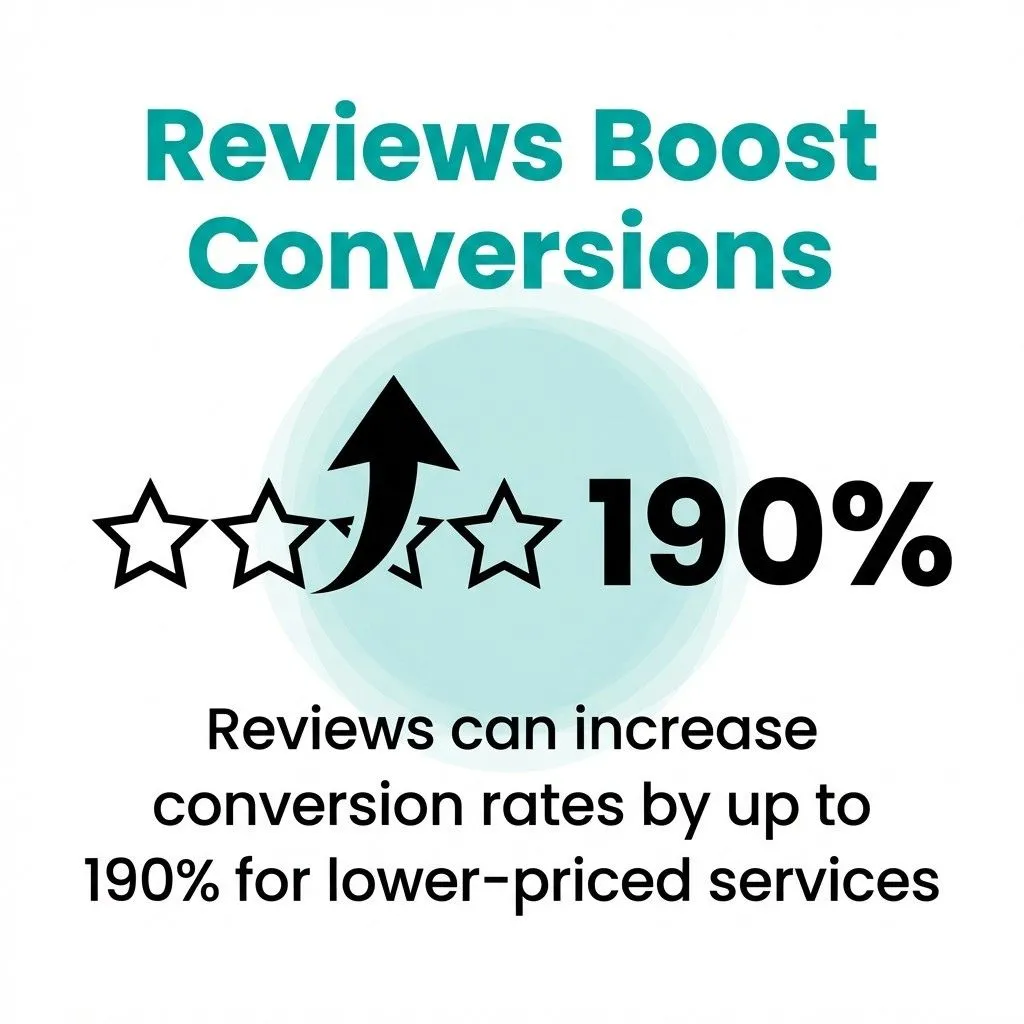
Reviews also improve your local search ranking. Google considers review quantity, quality, and recency when determining which businesses appear in the local 3-pack. More positive reviews mean better visibility.
Unlike paid advertising, your Google Business Profile works continuously without ongoing costs. Once optimized, it generates leads around the clock.
Your profile appears whenever someone searches relevant terms, and potential clients can discover your business, view your services, and contact you at any hour.
For trainers building their client base, that’s premium local visibility without the ad budget.
Google Business Profile offers two location types: service-area businesses and fixed-location businesses. Choosing correctly impacts your visibility and how potential clients find you.
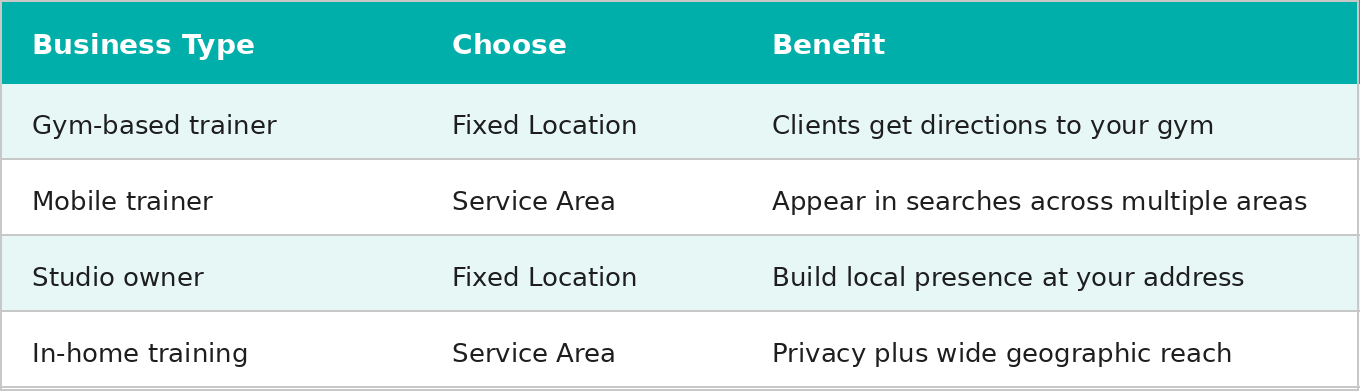
Fixed-location businesses operate from a specific address where clients come to you: gym-based trainers, studio owners, or trainers renting a dedicated training space. Your address displays publicly on Google Maps and in search results, clients can get directions, and Google shows your business to people searching near your location. Choose a fixed location if clients train at your gym, studio, or facility.
Service area businesses travel to clients: mobile personal trainers, in-home trainers, or trainers working at clients’ gyms. You don’t display a public address. Instead, you define service areas by city, zip code, or radius. Google shows “Serves [Area Name]” instead of a street address, and you appear in searches across all defined areas. Most mobile trainers succeed with a 10–15 mile radius or 3–5 specific cities.
Most personal trainers fit into one of two scenarios: gym-based trainers need fixed locations, while mobile trainers need service areas. If you work primarily from a gym but occasionally train clients elsewhere, choose a fixed location. If you’re primarily mobile but occasionally use a co-working gym space, choose the service area. Where clients usually train determines your category.
Location type quick reference:
Setting up your Google Business Profile takes 15–20 minutes. Follow these steps to avoid common mistakes that hurt your visibility.
Visit Google Business Profile and sign in with your Google account. Use a dedicated business account, not your personal email.
This account controls your profile permanently, so choose one you’ll have long-term access to.
Type your exact business name as clients know it. Don’t add keywords like “Best Personal Trainer” or your city name unless that’s part of your registered business name.
Google penalizes keyword-stuffed names by lowering rankings or suspending profiles. Use “Sarah Johnson Personal Training,” not “Sarah Johnson Personal Training | Certified Fitness Coach Dallas.”
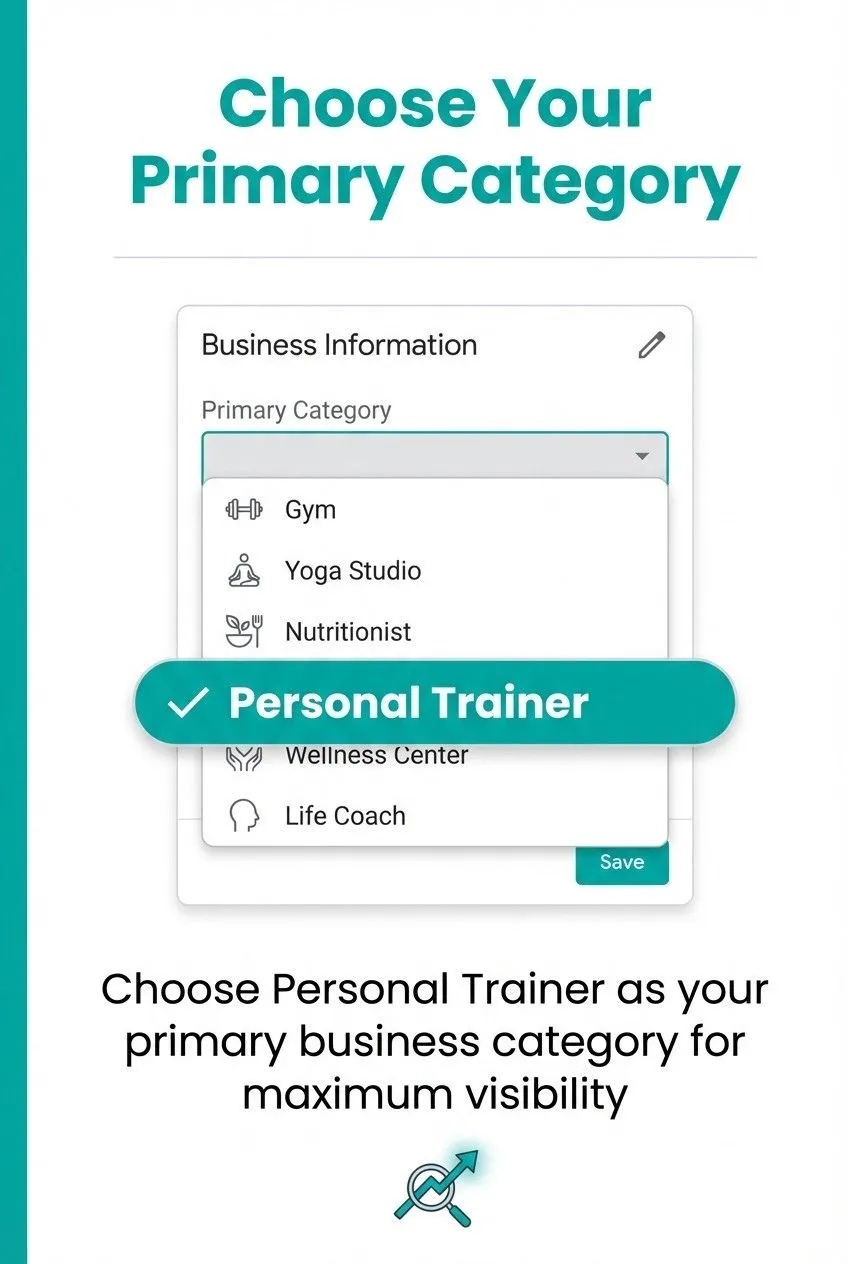
Choose “Personal Trainer” as your primary business category. This single choice dramatically impacts which searches display your profile. Don’t choose “Gym” or “Fitness Center” unless you operate a facility.
You can add up to 9 secondary categories, such as “Fitness Instructor,” “Nutritionist,” or “Yoga Instructor,” if you offer those services.
Select whether clients come to your location or you travel to them. For fixed locations, enter your complete business address, including suite or unit numbers.
For service areas, skip the address entry and define your service areas in the next step.
Specify where you offer training sessions by adding cities, zip codes, or a radius around your location.
Be realistic: don’t claim areas you can’t reasonably serve. Start with the areas you currently serve and expand later as your business grows.
Enter your business phone number and website URL. Use a dedicated business line if possible.
This information appears prominently in search results, so potential clients can call or visit your site directly from your profile.
Fill out your business hours, services, and description during initial setup. Incomplete profiles rank lower in local search results.
You’ll optimize these details further, but enter accurate basic information now to finish setup.
Verification proves you own your business. Unverified profiles don’t appear in search results or Google Maps, so complete this step as quickly as possible.
Google mails a postcard with a verification code to your business address (fixed location businesses only). The postcard arrives in 5–14 days. Sign in to Business Profile Manager, click “Verify now,” and enter the five-digit code. Keep your postcard until verification completes.
Some businesses qualify for instant phone verification. Google texts or calls your business phone with a code. If this option appears during setup, it’s the fastest path to going live.
Businesses with verified Google Search Console accounts may qualify for email verification. Service area businesses can verify via video: record a short clip showing your credentials and proof of identity, and Google reviews it within 3–5 business days.
Never use fake addresses to qualify for postcard verification. Maintain consistent business information across your website, social media, and Google Business Profile. Inconsistencies delay verification and hurt your local SEO.
Verification makes your profile live. Optimization makes it effective. These steps improve your local search ranking and convert more profile viewers into clients.
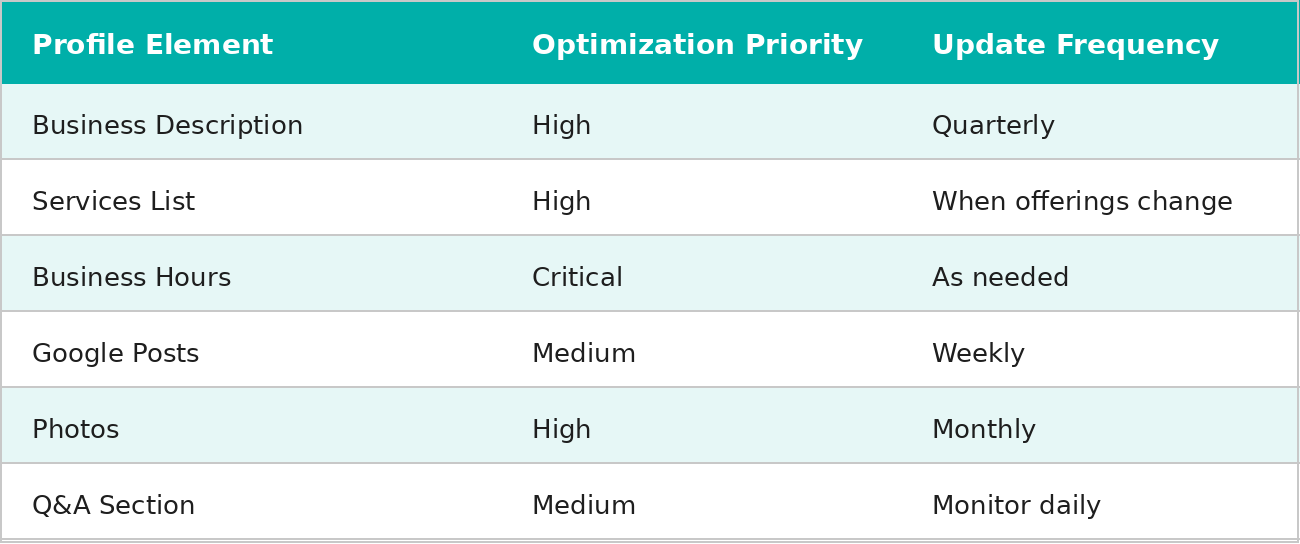
You have 750 characters to explain what makes your personal training services valuable. Start with what you offer and who you work with best. Include your certifications, training style, and specialty areas. Mention relevant keywords naturally: “personal trainer,” your location, and specialties like “strength training,” “weight loss,” or “athletic performance.” Skip generic phrases like “passionate about fitness.” Focus on concrete details about your approach and client results.
Create separate service entries for each offering: one-on-one training, small group sessions, nutrition coaching, online programming, and so on. Include pricing if you’re comfortable sharing it publicly. Each entry allows a description, so explain what the service includes, who it’s for, and what results clients can expect.
Enter the hours you’re available for training sessions and update them for holidays or closures. Also, add relevant business attributes like “Online appointments,” “Wheelchair accessible,” or “LGBTQ+ friendly.” These tags help the right clients filter search results and find you.
Post weekly to maintain an active profile: workout tips, client success stories, schedule changes, or promotional offers.
Posts expire after seven days but remain in your profile history. In the Q&A section, post and answer your own common questions before potential clients have to ask: “What certifications do you have?” “Do you offer virtual training?” “What’s your cancellation policy?” Monitor and respond to new questions within 24 hours.
Profile Optimization Priority
Photos make your profile stand out in search results. Profiles with photos receive more engagement and appear more credible.
Visual content shows potential clients what training with you looks like before they even contact you.
Your profile photo represents your business in search results. Use a clear professional headshot (minimum 720 x 720 pixels).
Your cover photo, which appears at the top of your profile, should be an action shot of you training a client or demonstrating an exercise. Recommended cover dimensions are 1024 x 576 pixels.
Upload at least 10–15 photos showing your training space, equipment, you working with clients, and results-focused images.
More photos correlate with higher engagement. Aim for diversity: different training styles, various client demographics, multiple locations. Update photos regularly to signal an active business.
If you feature clients, get their written permission first. Avoid stock photos and images with overlaid text, as Google removes them.
Reviews directly impact your local search ranking and conversion rate. More positive reviews mean better visibility in the local 3-pack and a higher likelihood that potential clients choose you over competitors.
If you’re also thinking about how to keep those clients once they find you, check out our guide on keeping clients motivated.
Ask satisfied clients to leave reviews after successful milestones: completing a training package, achieving a fitness goal, or finishing a program.
Make it easy by sharing your Google review link via text or email. Never offer incentives for reviews. Google prohibits paid reviews or any quid pro quo arrangement.
Respond to every review, positive or negative, within 24–48 hours. Thank reviewers for positive feedback briefly and genuinely.
For negative reviews, respond professionally and offer to resolve issues offline. Never argue publicly. Measured responses demonstrate maturity even when reviews feel unfair.
Aim for 2–4 new reviews monthly rather than bursts of activity followed by silence. Google values recent reviews more heavily, and profiles with regular review activity rank higher than profiles with stagnant totals.
If you receive a fake or policy-violating review, report it rather than asking friends to bury it with false positives.
Google Business Profile analytics show how people find and interact with your profile. Access them through your Business Profile dashboard under “Performance.”
Track profile views, the search queries people used to find you, and actions taken (calls, website visits, direction requests).
High discovery search numbers mean your profile appears for relevant keyword searches. Low discovery numbers suggest optimization opportunities: review your category, description, and services.
Also, monitor which photos get the most views and use that to guide future photo choices.
Check your insights monthly and look for trends over time rather than daily fluctuations. Document the changes you make (description updates, new photos) along with the date, then compare performance before and after.
Use search query data to identify keywords worth incorporating more naturally into your description and posts.
Adding keywords to your business name violates Google’s guidelines and results in lower rankings or profile suspension. Use your actual registered business name only.
Your primary category must accurately reflect your business. Selecting “Gym” instead of “Personal Trainer” puts your profile in front of the wrong searches. Don’t add irrelevant secondary categories in hopes of appearing more broadly.
Your business name, address, and phone number must match exactly across your website, social media, and all directories. Inconsistencies confuse Google’s algorithm and damage your local SEO.
Unresponded reviews signal an inactive business. Set up notifications for new reviews and respond within 48 hours.
Equally, outdated profiles rank lower than current ones: review yours quarterly, update any changed information, and refresh photos and descriptions regularly.
Citations are online mentions of your business name, address, and phone number on other websites.
List your business in relevant fitness directories and local business listings, and ensure all citations use identical information. Consistency reinforces Google’s confidence in your business details.
Embed your Google Business Profile on your website’s contact page and link back to your profile to create a two-way connection.
Add schema markup to your website to help Google understand your business type and location, which can improve search visibility.
Adjust your profile content to match fitness seasonality. Update your description in December to mention you’re accepting new clients for January.
Post about summer training programs in spring. Timing your content with the client mindset increases relevance and profile engagement.
Your Google Business Profile determines whether potential clients find you or your competitors.
Start with proper setup and verification, choose the right location type, and complete every profile section with accurate, compelling information.
Add photos that showcase your training style, request reviews consistently, and monitor your insights monthly to understand what’s working.
The basics matter most: a complete profile, the right category, consistent information, and an active review cadence will put you ahead of most trainers in your area.
Local search visibility isn’t about complex technical strategies. It’s about presenting your personal training business clearly and professionally, where potential clients are actively looking.
Once your profile is generating leads, you need a system to convert and keep those clients, particularly if you operate a hybrid or online training model.
PT Distinction gives personal trainers the tools to deliver organized programming, automate client communication, and track progress, all in one place. Try it free for 1-Month and see how the right platform supports the business your Google profile is building.
Ready to join the family?
We'll get you up and running in no time. Start with our zero-risk free trial and build your personal training empire today.