

One workout can become 15 pieces of content. That's not theoretical productivity advice. It's what happens when you understand how to repurpose fitness content properly.
Most personal trainers film a workout, post it once, and wonder why their engagement stays flat.
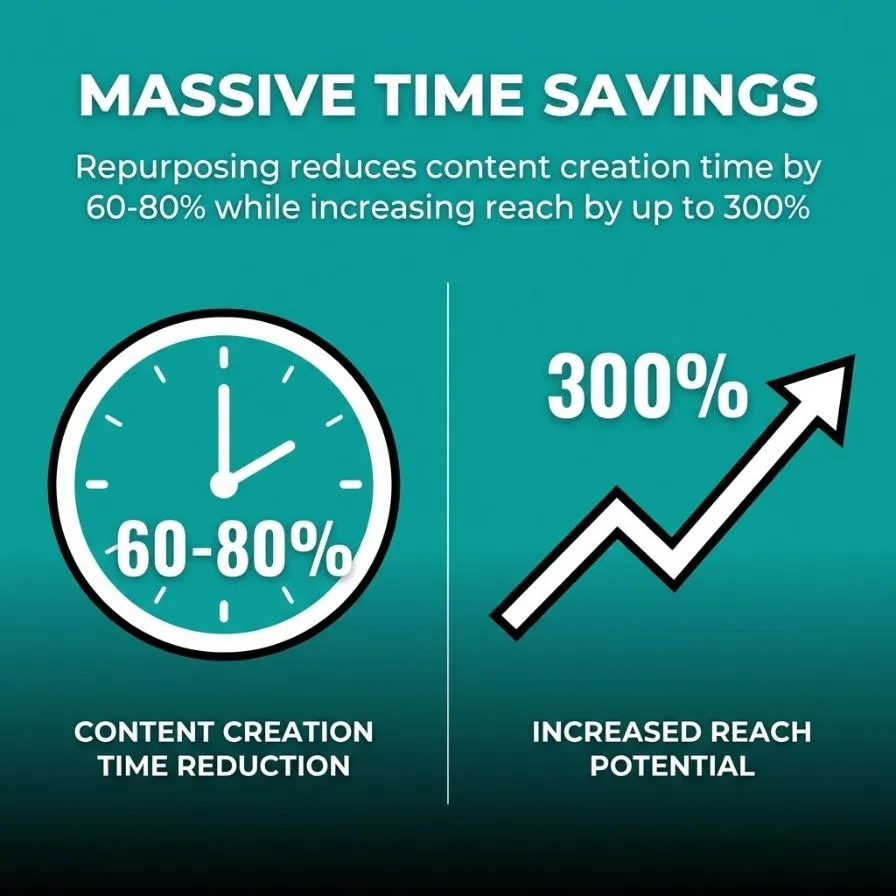
The smart ones take that same workout and distribute it across Instagram Reels, TikTok, YouTube Shorts, email newsletters, and blog posts. Repurposing reduces content creation time by 60-80% while increasing reach by up to 300%.
You already know content creation takes too much time. What you might not realize is that you're working harder than necessary.
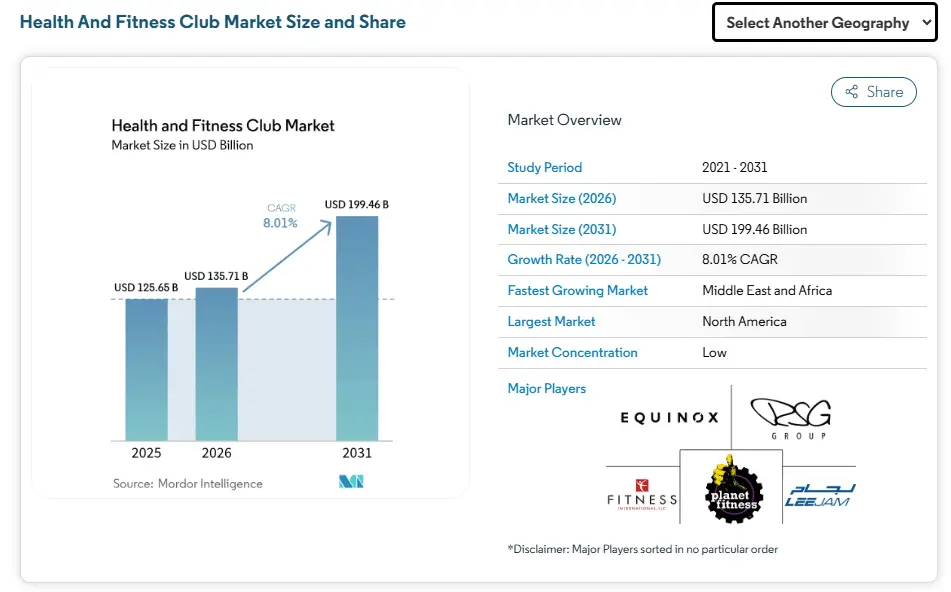
The fitness industry is more competitive than ever. The global health and fitness club market is projected to surpass $135 billion in 2026, reflecting continued growth and rising demand for fitness services.
As more trainers compete for attention online, showing up consistently across multiple platforms matters, and repurposing content is how you do that without burning out.
This guide shows you exactly how to transform one piece of fitness content into multiple formats.
You'll learn which platforms work best for specific content types, how to adapt your video content for different algorithms, and which repurposing methods deliver the highest engagement.
By the end, you'll have a repeatable system that saves you 10-20+ hours per week.
Your clients aren't all on the same platform. Some scroll through Instagram during lunch. Others check TikTok before bed. A few read email newsletters on Sunday mornings.
When you post a workout video once on Instagram, you're reaching maybe 10-15% of your followers. The algorithm shows your content to a fraction of your audience. The rest never see it.
Repurposing solves this. You take one workout and format it for Instagram Reels, TikTok, YouTube Shorts, Facebook, and your blog. Same workout. Different formats. Different audiences.
The United States has 27 million paid creators, representing 14% of the population aged 16 to 54. Competition for attention is intense. Repurposing helps you compete without creating more content from scratch.
The efficiency gains are real. Personal trainers save 10-20+ hours weekly through strategic content repurposing. That's time you can spend coaching clients or building your business instead of filming new content every single day.
Social media algorithms reward accounts that post regularly. Miss a few days and your reach drops. The problem? Creating fresh content daily is unsustainable.
Repurposing maintains consistency without the workload. Film one workout session, and you have material for two weeks across multiple platforms.
Each platform has different requirements. Instagram prefers vertical video. YouTube handles longer formats. TikTok wants quick cuts and trending audio. When you repurpose, you adapt to these preferences rather than forcing a single format everywhere.
People don't absorb information the first time. They need to see concepts multiple times in different contexts.
A workout demonstration on Instagram Reels might catch someone's attention. The same workout, broken down in a blog post with detailed form cues, reinforces learning. An email newsletter with modifications for different fitness levels makes it actionable.
This isn't spamming your audience. It's meeting them where they are and teaching in the format they prefer.
Repurposing only works if your original content is worth repurposing. Garbage in, garbage out.
Your source material should be comprehensive enough to extract multiple pieces from it. A 30-second clip doesn't give you much to work with. A 15-minute workout demonstration provides plenty of content to repurpose.
Think about what makes content repurposable before you film. Good lighting and clear audio matter because you'll use this footage across platforms. Frame your shots to work in both horizontal and vertical formats when possible.
Video is the most versatile format for repurposing. You can extract still images, create GIFs, transcribe audio to text, and edit down longer videos into shorter clips.
When you film a workout, you're simultaneously creating material for Instagram Reels, TikTok, YouTube Shorts, blog post screenshots, and email newsletter visuals. No other content format offers this flexibility.
Structure your filming sessions for maximum repurposing potential. Record complete exercise demonstrations from multiple angles. Capture B-roll of transitions. Film yourself explaining key concepts directly to the camera.
Set aside dedicated time to create source material. Film multiple workouts in one session. Record several exercise tutorials back-to-back.
Batching reduces setup time and mental switching costs. Once you're in filming mode with good lighting and equipment ready, maximize that window.
This approach builds a content library you can draw from for weeks. Instead of scrambling daily for what to post, you're selecting from pre-filmed material and adapting it for different platforms.
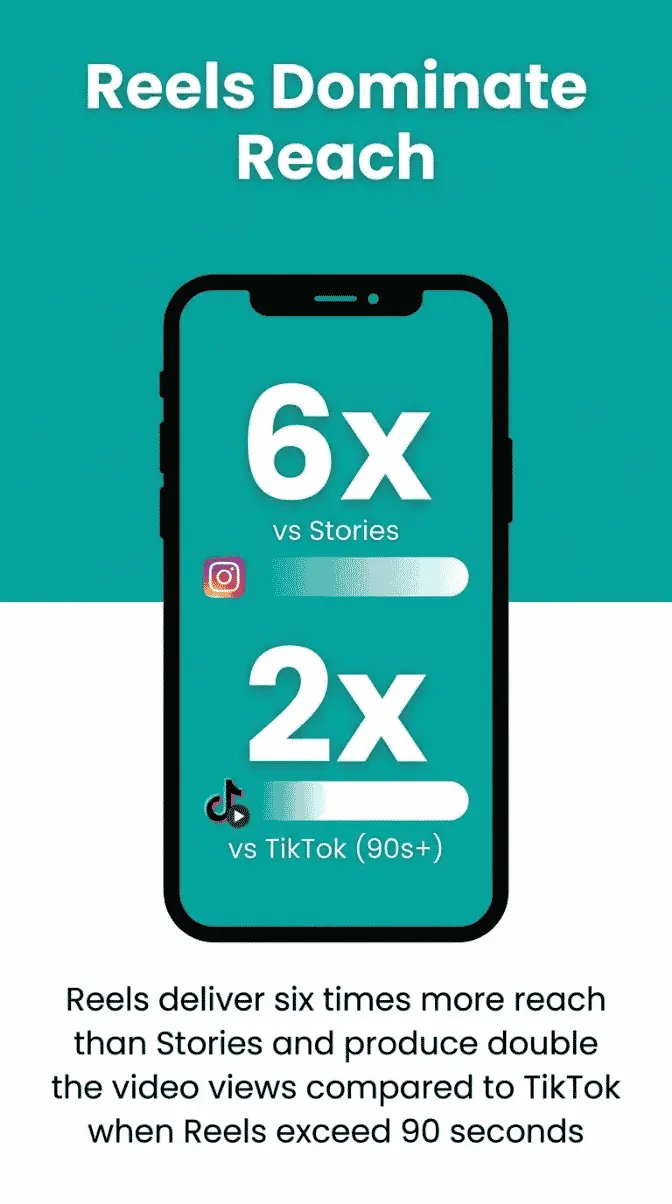
Instagram Reels is where fitness content performs best right now. Reels deliver six times more reach than Stories and produce double the video views compared to TikTok when Reels exceed 90 seconds.
From your full workout video, identify the most visually dynamic exercises. High-intensity movements, impressive lifts, or exercises with clear form demonstrations work best.
Edit these segments into 15-90 second clips. Instagram Reels can run up to 90 seconds, but shorter clips often perform better for quick-scroll viewers.
Reels require vertical video in a 9:16 aspect ratio. If you filmed horizontally, crop to focus on the most important action.
Frame your subject to fill the vertical space. Viewers watch Reels on mobile devices held vertically. Horizontal video with black bars wastes screen space and reduces impact.
Tools like Canva make this process straightforward, even if video editing isn't your strength. With millions of creators using the platform to design social media content and edit videos, Canva has become a go-to tool for quickly resizing workout clips, adding captions, and creating simple branded graphics.
Upload your horizontal workout video, then use Canva’s resize tool to convert it to a vertical format that works better on mobile.
Most people watch social media with the sound off. Captions aren't optional anymore.
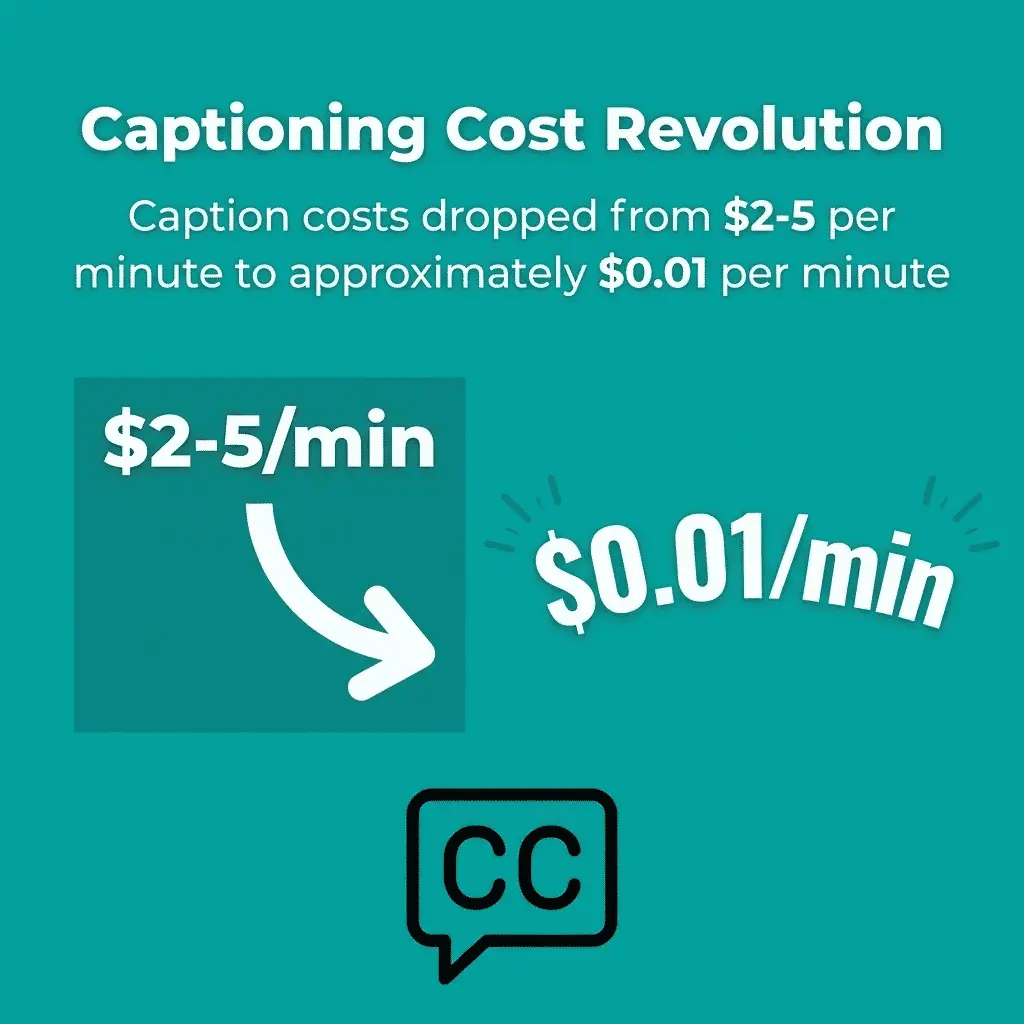
Auto-captioning tools have become affordable. Caption costs dropped from $2-$5 per minute to approximately $0.01 per minute. Apps like CapCut include free auto-captioning features.
Instagram users scroll fast. Your first three seconds determine whether they keep watching.
Start with your most impressive movement. Show the hardest part of the exercise or the most dramatic transformation. Create visual interest immediately.
Save the setup and explanation for later in the video. Lead with action that stops the scroll.
Your full workout contains multiple exercises. Each one can become standalone content.
Extract individual exercises from your workout video. Create focused tutorials that demonstrate one movement with detailed form cues.
These exercise-specific posts serve different purposes than full workouts. Someone searching for "how to do a proper deadlift" wants detailed instruction on that single movement, not a complete workout routine.
Format each exercise breakdown to teach proper form. Show the movement from different angles. Highlight common mistakes.
Create a standard template for exercise demonstrations. Start with the setup position. Show the full range of motion. Point out key form cues. Demonstrate modifications for different fitness levels.
This consistency makes your content recognizable. Viewers know what to expect from your exercise tutorials.
YouTube viewers tolerate longer, more detailed content. A five-minute exercise breakdown with detailed biomechanics explanation works there.
TikTok and Instagram Reels need faster pacing. Condense the same exercise demo to 30-60 seconds, focusing on the most critical form points.
Facebook audiences tend to be older and may prefer clearer verbal explanations. LinkedIn fitness content performs when framed around professional productivity or stress management.
Video content contains valuable information that translates well to a written format. Your workout demonstrations become blog posts with detailed exercise descriptions.
Transcribe your video content first. Tools like Otter.ai or Rev handle this quickly. Edit the transcription for readability, removing filler words and verbal tics.
Structure the blog post around the workout's key components. Create sections for warm-up, main workout, and cool-down. Add detailed written explanations that complement the video demonstrations.
Don't just describe exercises in text. Embed short video clips demonstrating each movement.
This combination of text and video serves different learning styles. Some people prefer reading detailed instructions. Others need to see the movement performed.
The blog post becomes your most comprehensive piece of content. Someone who discovered you on Instagram can click through to your blog for a full breakdown, including written cues, video demonstrations, and modification options.
Blog posts rank in search results. Video content on social media doesn't.
When someone searches "beginner dumbbell workout" or "proper squat form," a well-optimized blog post appears in results. This drives new audience members to your content long after you published it.
Include relevant keywords naturally throughout the post. Use descriptive headings that match common search queries. Add alt text to images describing what's shown. Trainers who want to improve rankings and create content clients actually want to read can benefit from learning more about how to create engaging content for personal trainers.
Instagram Stories disappear after 24 hours unless saved to Highlights. This ephemeral nature makes Stories perfect for behind-the-scenes content and quick tips extracted from longer videos.
Take snippets from your workout videos and format them as Stories. Add interactive elements like polls, questions, or quizzes to boost engagement.
Stories feel more casual than feed posts. Use this format for quick form tips, workout modifications, or exercise alternatives pulled from your comprehensive content library.
Story Highlights live permanently on your profile. Organize them by topic to create a content library visitors can browse.
Create Highlights for workout types, exercise tutorials, nutrition tips, or client transformations. Each Highlight contains related Stories compiled from your repurposed content.
This turns your Instagram profile into a searchable resource. New followers can explore your Highlights to find specific information, rather than scrolling through months of posts.
Use Stories to preview blog posts or YouTube videos. Share a 15-second clip of your full workout and add a "link in bio" sticker that directs viewers to the complete version.
This cross-platform strategy drives traffic from Instagram to your owned platforms. Viewers who want more detail click through to your website or YouTube channel.
Track which Stories generate the most link clicks. This data reveals which content types resonate most with your audience.
YouTube Shorts and TikTok both favor vertical, short-form video. The same content works on both platforms with minor adjustments.
Both platforms operate optimally with vertical video formats. Edit your workout footage into 15-60-second clips that demonstrate a single exercise or fitness tip.
The difference between platforms lies in culture and audience expectations. TikTok trends move faster. Audio matters more. Hashtag challenges drive discovery.
TikTok content feels raw and authentic. Overly polished fitness videos often underperform. Quick cuts, trending sounds, and personality-driven content work better.
YouTube Shorts can be slightly more polished. The audience expects higher production quality since they're already on YouTube watching longer videos.
Test the same workout clip on both platforms with different editing styles. Add trending TikTok audio to one version. Keep natural workout sounds for YouTube Shorts.
TikTok's duet and stitch features let viewers interact with your content. Create exercise challenges that encourage duets. Post form demonstrations and invite followers to stitch with their attempts.
YouTube Shorts integrates with your main channel. Viewers who discover you through Shorts can easily subscribe and watch your longer videos. Use Shorts as trailers for comprehensive workout content.
Both platforms require consistent posting to favor the algorithm. Content repurposing should constitute 25-50% of your regular posting calendar. Use repurposed clips to maintain this cadence without constant new filming.
Instagram carousels let you share up to 10 images or videos in one swipeable post. This format works perfectly for educational fitness content extracted from your videos.
Take a workout video and create a carousel that explains the routine step by step. Each slide shows a different exercise, with a text overlay that explains form cues, rep ranges, and common mistakes.
Carousels get saved more often than single-image posts. Viewers save them as reference guides for workouts they plan to try later.
Pull still frames from your workout videos showing key positions. A deadlift demonstration becomes three carousel slides showing setup, bottom position, and lockout.
Add text annotations highlighting proper form. Circle areas of focus. Draw arrows showing movement direction. These visual cues make technical information easier to understand.
Canva offers carousel templates specifically for fitness content. Upload your video screenshots and add professional-looking annotations without design experience.
Show exercise progressions across carousel slides. Slide one demonstrates the beginner version, slide two shows the intermediate version, and slide three displays the advanced version.
This progression format helps viewers at different fitness levels. They can attempt the version appropriate for their current ability and see what they're working toward.
Transformation content also performs well in carousel format. Client results, form improvements over time, or strength progression photos tell compelling stories that drive engagement.
Email newsletters reach people who already care about your content. Sending them regular educational campaigns will help them stay engaged with your brand.
Repurpose your workout content into weekly email newsletters, embed video clips, include workout descriptions from blog posts, and add exclusive tips not shared on social media.
Email provides space for depth that social media doesn't allow. Break down the biomechanics of an exercise. Explain the programming decisions behind your workout structure. Share the research supporting specific training approaches.
Not all subscribers want the same content. Someone interested in strength training doesn't need constant emails about cardio workouts.
Tag subscribers based on which lead magnet they downloaded or which content they engage with. Send strength-focused repurposed content to strength training subscribers. Share mobility content with people who downloaded your flexibility guide.
This targeted approach increases open rates and reduces unsubscribes. Relevant content performs better than generic blasts.
You can promote your content on other platforms and share your latest YouTube video, new articles or TikTok challenges in your newsletter.
Email subscribers are your warmest audience. They're most likely to engage with content on other platforms when you direct them there.
This cross-promotion builds your presence across channels. A subscriber who only knew you from email discovers your Instagram and becomes a follower there, too.
Your clients create content when they tag you in workout posts or share their results. This user-generated content is valuable material for repurposing.
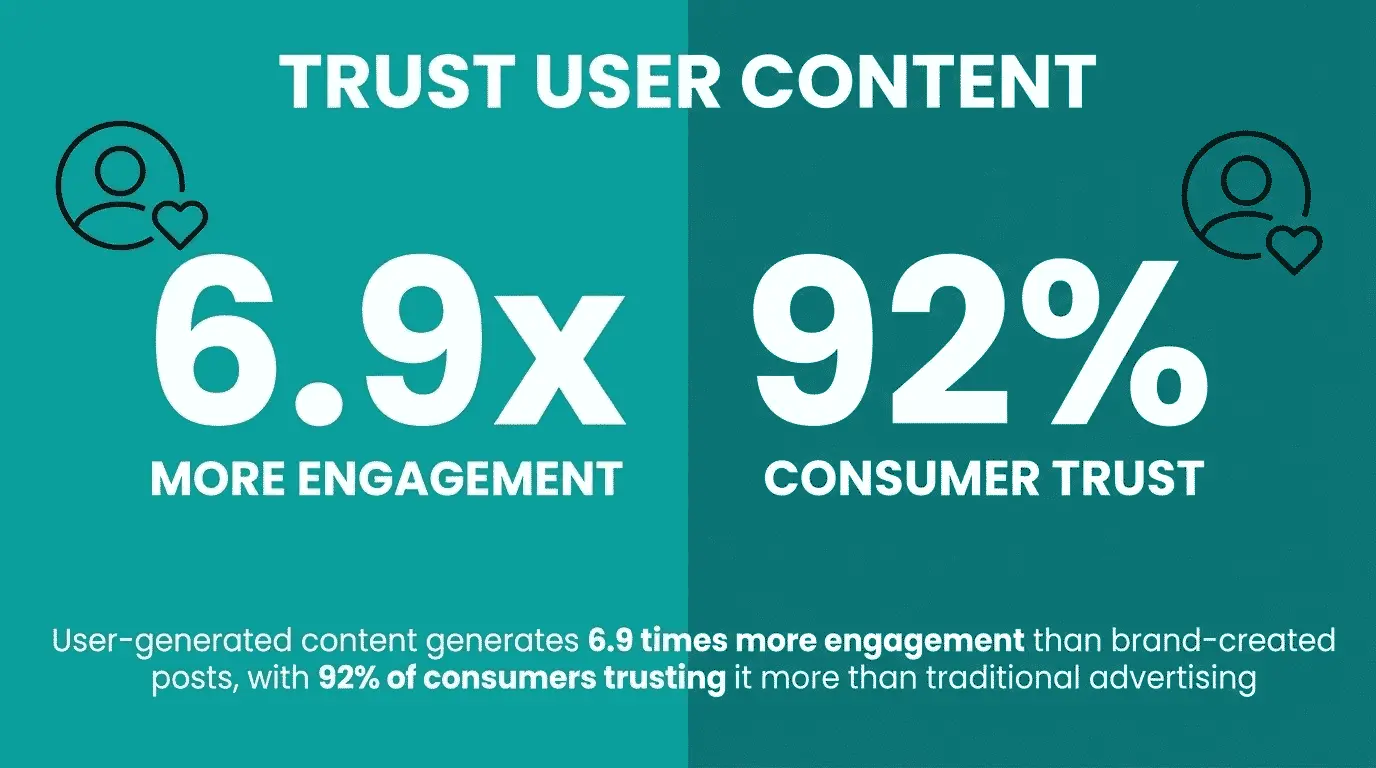
User-generated content generates 6.9 times more engagement than brand-created posts, with 92% of consumers trusting it more than traditional advertising.
Request permission to share client workout videos or transformation photos. Repost them to your Instagram feed, include them in email newsletters, or feature them in blog posts.
Collect client transformation photos and videos over time. Compile them into motivational content that demonstrates your coaching effectiveness.
These compilations work across platforms. A 60-second transformation montage performs well on Instagram Reels and TikTok. The same content, expanded with client testimonials, becomes a YouTube video. Individual transformations fit perfectly in carousel posts.
User-generated content adds social proof. Potential clients see real results from real people, which is more convincing than any marketing copy.
Create branded fitness challenges that encourage followers to post their own content. A 30-day plank challenge or weekly workout competition generates user content you can repurpose.
Compile the best submissions into weekly roundup posts. Feature standout participants in Stories. Share impressive results in newsletters.
This strategy builds community while generating fresh content you didn't have to create yourself. Participants promote the challenge to their networks, expanding your reach organically.
Repurposing works when you systematize the process. Random repurposing efforts produce inconsistent results and feel overwhelming.
Build a workflow that moves content predictably from filming to distribution across all platforms. Document each step so the process is repeatable.
Start with a content calendar mapping when you'll film source material and when repurposed versions will publish on each platform. This prevents last-minute scrambling for content.
Not all platforms deserve equal effort. Focus on where your target audience spends time.
If your ideal clients are on Instagram, prioritize Reels and carousel posts. If they're professionals who check LinkedIn, repurpose content for that platform first.
Stagger posting times across platforms. Don't share the same content everywhere simultaneously. Instagram post on Monday, TikTok version on Wednesday, YouTube Shorts on Friday, blog post the following week.
Check out our social media planning guide for detailed scheduling strategies.
Organize filmed content in folders by type. Workouts, exercise demos, client testimonials, and educational content all get separate folders.
Tag files with relevant details. Exercise name, muscle group, difficulty level, duration. This makes finding the right clip for repurposing quick and easy.
Cloud storage like Dropbox or Google Drive keeps everything accessible across devices. You can edit and repurpose content whether you're on your computer or mobile device.
Dedicate specific time blocks to repurposing work. Don't switch between creating and editing constantly.
Set aside two hours each week to edit filmed content into different formats. Take one workout video and create the Instagram Reel, TikTok clip, YouTube Short, and carousel post in one session.
Use scheduling tools to batch your posting, too. Metricool or Later lets you upload and schedule content across multiple platforms at once.
Track performance across platforms to understand which repurposed content resonates. Not every format works equally well for every trainer.
Check engagement rates, not just vanity metrics like follower count. A post with 100 likes and 20 saves from 500 followers performs better than one with 500 likes and 2 saves from 5,000 followers.
Compare how the same content performs across platforms. If your workout video gets 10x more engagement on TikTok than Instagram, that tells you where to focus energy.
Some workout types or exercise demonstrations consistently outperform others. Track which original videos generate the best results when repurposed.
Double down on what works. If lower body workouts consistently drive more engagement than upper body content, film more lower body variations to repurpose.
This data-driven approach prevents wasting time repurposing content that your audience doesn't care about.
Try multiple ways of repurposing the same content. Turn one workout into an Instagram Reel, a carousel, and a blog post. See which format performs best.
Test different editing styles. Fast cuts versus longer takes. Trending audio versus original sound. Text-heavy versus minimal text.
Small variations can significantly impact performance. Testing reveals what your specific audience prefers.
Repurposing doesn't mean lowering quality. Each piece of content should provide value regardless of format.
A 15-second Instagram Reel extracted from a longer workout should still demonstrate proper form clearly. A blog post repurposed from video content needs complete information, not just a rushed transcription.
Think about what each platform's audience expects. YouTube viewers want more depth. TikTok users want entertainment. Blog readers want comprehensive information. Adapt your repurposed content to meet these expectations.
Don't just post identical content everywhere. That's not strategic repurposing, it's spam.
Each platform version should feel native to that platform. Add trending sounds to TikTok versions. Use Instagram's interactive stickers in Stories. Write detailed captions for blog posts that add context beyond the video.
The core content is the same, but the presentation adapts to platform culture and audience expectations.
Fitness advice changes over time, and what you posted a year ago may no longer reflect current best practice. Before repurposing older content, take a few minutes to review it.
Check whether your coaching cues still make sense, update any references that feel dated, and add newer insights where relevant.
A quick refresh helps keep repurposed content accurate, useful, and worth revisiting, even when it started life months or years earlier.
Creating fresh content every day isn't realistic when you're coaching clients and running a business. Repurposing gives you a way to stay visible without constantly starting from scratch. One workout, one coaching tip, or one client win can become content for multiple platforms over time.
You don't need to be everywhere at once. Start with one platform, build a repeatable process, and expand as your confidence grows. Consistency matters more than volume, and sustainable systems beat bursts of motivation every time.
As your content systems become more efficient, your coaching systems should too. PT Distinction helps trainers manage online and hybrid coaching in one place, with tools for program delivery, habit tracking, client communication, and progress tracking. Start your free 1-Month trial and see how PT Distinction can help you spend less time managing and more time coaching.
Ready to join the family?
We'll get you up and running in no time. Start with our zero-risk free trial and build your personal training empire today.